Python: A Comprehensive Overview
Introduction
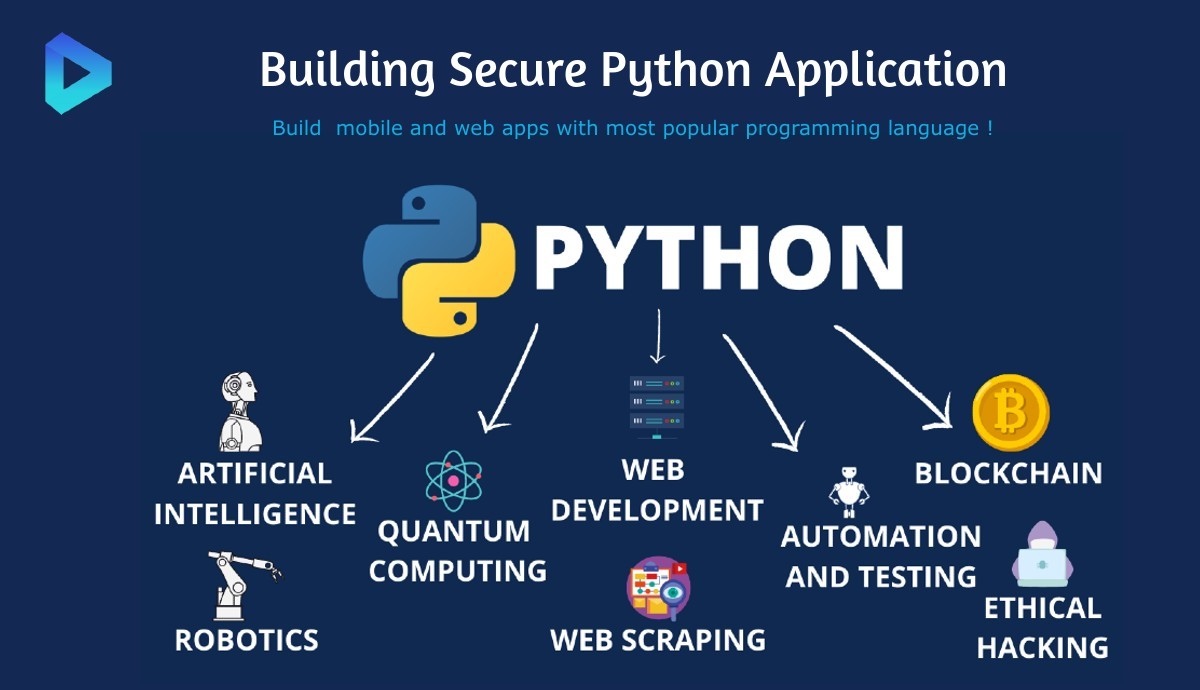
Python is a high-level, interpreted programming language that has gained immense popularity for its simplicity and versatility. Created by Guido van Rossum and first released in 1991, Python has evolved into a robust language used in various domains, including web development, data analysis, artificial intelligence, machine learning, automation, and more. This article provides an in-depth look at Python, covering its features, advantages, installation, libraries, frameworks, and best practices.
1. Key Features of Python
1.1. Easy to Learn and Use
- Simple Syntax: Python's syntax is clear and intuitive, making it accessible for beginners. It emphasizes readability, allowing new programmers to quickly grasp programming concepts.
- Interactive Shell: Python provides an interactive shell (REPL) where users can write and execute code line by line, facilitating rapid experimentation and debugging.
1.2. Versatile and Multi-Paradigm
- Multi-Paradigm Support: Python supports various programming paradigms, including procedural, object-oriented, and functional programming, allowing developers to choose the style that best suits their project.
- Cross-Platform Compatibility: Python runs on various platforms, including Windows, macOS, and Linux, enabling developers to write code once and run it anywhere.
1.3. Extensive Standard Library
- Rich Standard Library: Python comes with a comprehensive standard library that includes modules for handling file I/O, regular expressions, networking, web scraping, and more. This reduces the need for third-party libraries for common tasks.
- Third-Party Libraries: In addition to the standard library, Python has a vast ecosystem of third-party libraries available through the Python Package Index (PyPI), enhancing its functionality.
1.4. Strong Community Support
- Active Community: Python has a large and active community that contributes to its development, provides support, and creates resources such as tutorials, forums, and documentation.
- Regular Updates: The Python Software Foundation releases regular updates, improving performance, security, and features.
1.5. High-Level Language
- Abstraction of Complexity: As a high-level language, Python abstracts many of the complex details associated with lower-level languages, allowing developers to focus on solving problems rather than managing memory and hardware details.
2. Advantages of Using Python
2.1. Rapid Development
- Short Development Time: Python's simplicity and the availability of libraries enable developers to build applications quickly, making it an excellent choice for startups and rapid prototyping.
2.2. Wide Range of Applications
- Versatile Use Cases: Python is used in web development (Django, Flask), data analysis (Pandas, NumPy), machine learning (TensorFlow, Scikit-learn), automation (Selenium, PyAutoGUI), scientific computing (SciPy), and more.
2.3. Integration Capabilities
- Interoperability: Python can easily integrate with other programming languages (C, C++, Java) and technologies, allowing developers to leverage existing code and libraries.
2.4. Strong Data Handling
- Data Analysis and Visualization: Python is widely used in data analysis and visualization, thanks to libraries like Pandas, Matplotlib, and Seaborn. This makes it a favorite among data scientists and analysts.
2.5. Ideal for Prototyping
- Quick Prototyping: Python's ease of use and flexibility make it ideal for building prototypes, allowing developers to test ideas and concepts before investing significant time and resources.
3. Installing Python
Step 1: Download Python
- Visit the official Python website.
- Choose the latest version for your operating system (Windows, macOS, or Linux).
- Download the installer.
Step 2: Install Python
Windows:
- Run the downloaded installer.
- Check the box that says Add Python to PATH.
- Follow the prompts to complete the installation.
macOS:
- You can use the Homebrew package manager to install Python by running the command:
Linux:
- Most Linux distributions come with Python pre-installed. To check the version, run:
- If it's not installed, use the package manager (e.g.,
apt, yum) to install it:
Step 3: Verify Installation
Open a terminal or command prompt and run:
or
This should display the installed Python version.
4. Python Libraries and Frameworks
4.1. Data Analysis Libraries
- NumPy: A fundamental package for scientific computing in Python, providing support for arrays and matrices, along with mathematical functions to operate on them.
- Pandas: A powerful data manipulation and analysis library that provides data structures like DataFrames, making it easy to handle structured data.
4.2. Web Development Frameworks
- Django: A high-level web framework that encourages rapid development and clean, pragmatic design. It comes with built-in features like authentication, ORM, and admin panel.
- Flask: A lightweight web framework that provides the essentials for web development. It's flexible and allows developers to choose their tools and libraries.
4.3. Machine Learning and AI Libraries
- TensorFlow: An open-source library developed by Google for machine learning and deep learning applications. It provides tools for building and training models.
- Scikit-learn: A library for machine learning that offers simple and efficient tools for data mining and data analysis.
4.4. Automation and Scripting Libraries
- Selenium: A powerful tool for automating web browsers, widely used for testing web applications.
- Beautiful Soup: A library for web scraping that makes it easy to extract data from HTML and XML documents.
5. Writing Python Code
Basic Syntax and Structure
5.1. Hello World Example
Here’s a simple example to demonstrate Python syntax:
5.2. Variables and Data Types
Python supports various data types, including integers, floats, strings, lists, tuples, sets, and dictionaries.
5.3. Control Structures
Python supports common control structures like if, for, and while.
5.4. Functions
Functions are defined using the def keyword.
6. Best Practices in Python Development
6.1. Code Readability
- Follow the PEP 8 style guide for Python code to maintain readability and consistency. Use meaningful variable names, proper indentation, and comments to explain complex logic.
6.2. Version Control
- Use version control systems like Git to track changes, collaborate with others, and manage code versions efficiently.
6.3. Testing
- Write tests for your code to ensure its correctness and reliability. Use frameworks like
unittest or pytest to create and run tests.
6.4. Documentation
- Document your code, functions, and modules to provide clarity on usage and functionality. Use docstrings to describe what a function does and its parameters.
6.5. Exception Handling
- Implement exception handling using try-except blocks to manage errors gracefully and prevent crashes.
7. Python Community and Resources
7.1. Online Learning Platforms
- Coursera: Offers Python courses from various universities, including introductory and advanced topics.
- edX: Provides courses from institutions like MIT and Harvard, covering Python for data science, web development, and more.
- Codecademy: An interactive platform that offers hands-on Python coding exercises.
7.2. Documentation and Forums
- Official Python Documentation: A comprehensive resource for learning Python and understanding its standard library.
- Stack Overflow: A popular Q&A platform where developers can ask questions and find answers related to Python programming.
7.3. Community Contributions
- Meetup Groups: Join local Python meetups to connect with other developers, attend workshops, and share knowledge.
- Open Source Projects: Contribute to open-source Python projects on platforms like GitHub to gain experience and collaborate with others.
Conclusion
Python is a powerful and versatile programming language that has become a favorite among developers across various domains. Its simplicity, extensive libraries, and strong community support make it an ideal choice for beginners and experienced programmers alike. Whether you're building web applications, analyzing data, or developing machine learning models, Python provides the tools and resources necessary to succeed. By following best practices and leveraging the wealth of available libraries and frameworks, you can unlock the full potential of Python and elevate your programming skills to new heights.